
In Saudi Arabia, a business website often has two audiences on the same day: an Arabic-speaking customer comparing local providers, and an English-speaking manager, partner or expat doing the same. Bilingual website design is not about adding a translate button. It means planning two versions that each read naturally, work right-to-left and left-to-right, and are both easy for Google to find. This guide walks through the decisions in the order you will actually face them.
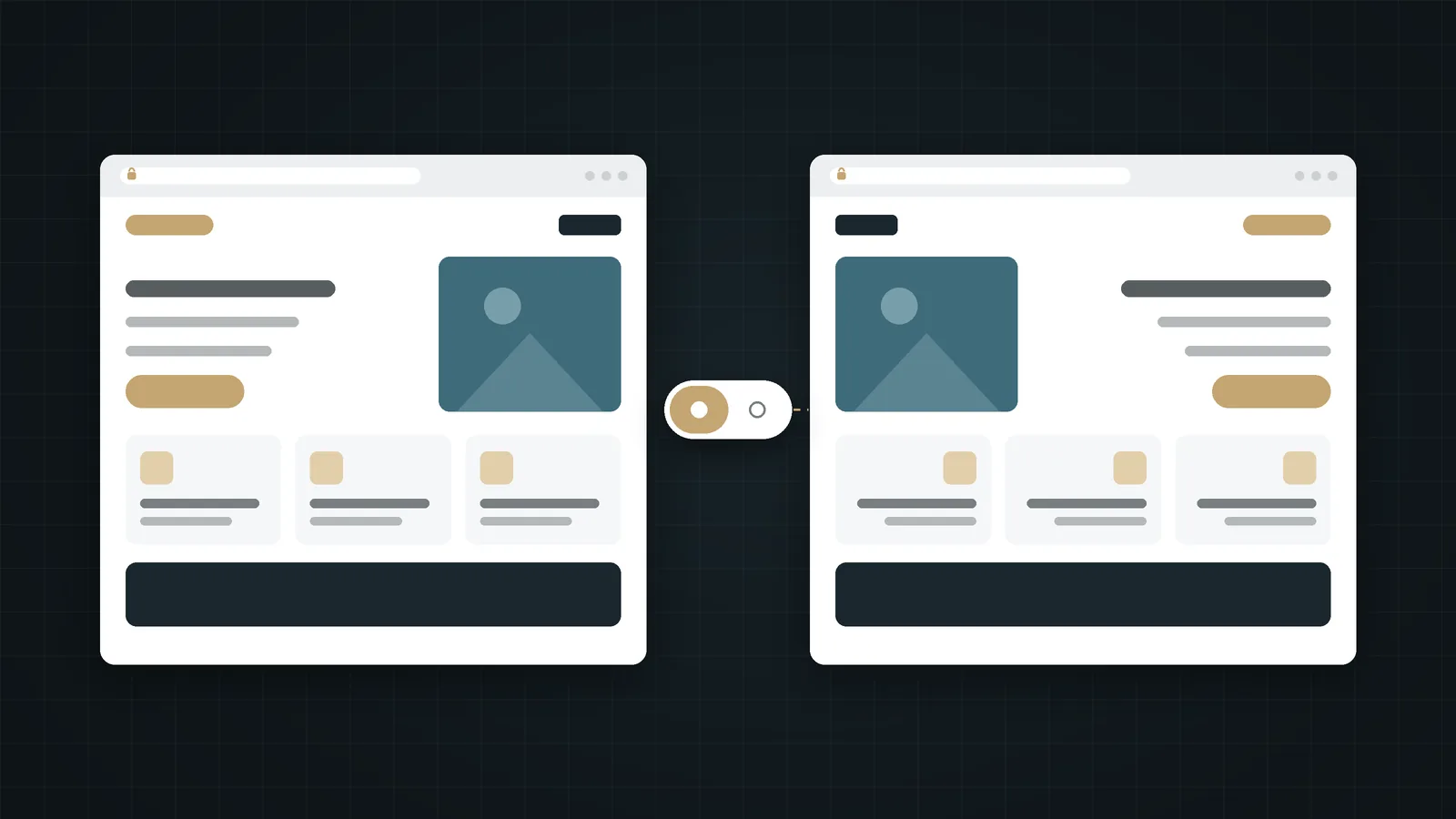
In short:
- Localise, don't just translate: write each language for the people who will read it.
- Give every language its own URL (for example
/and/en/) and connect equivalent pages with hreflang. - Design for right-to-left and left-to-right from the start; mirroring a finished English design rarely works.
- Pair an Arabic and a Latin typeface deliberately, and test forms, numbers and dates in both languages before launch.
In this guide
- Why bilingual matters in Saudi Arabia
- Translate or localise?
- One URL per language
- hreflang and the language switcher
- Designing for RTL and LTR
- Typography for Arabic and English
- Forms, numbers and dates
- Keyword research in two languages
- Keeping both versions in sync
- Pre-launch checklist
- How Webnaa approaches bilingual sites
- FAQ
- Summary
Why bilingual website design matters in Saudi Arabia
Arabic is the language most of your local customers think and search in. English is the working language of many companies, international partners and residents. A site in only one of them quietly turns part of your audience away: the Arabic speaker who feels the business is not for them, or the procurement manager who cannot forward your page to a colleague.
That does not mean every business needs two languages on day one. If nearly all your customers are Arabic speakers, a strong Arabic site may be the better first investment. But if you sell to companies, work with expats or want to look established to international clients, planning for both early is far cheaper than retrofitting English later.
Translate or localise?
Translation converts sentences. Localisation rewrites the page for a reader with different expectations. The second is what makes bilingual website design feel professional rather than mechanical:
Tone
Arabic business copy often reads well slightly more formal; English web copy is usually shorter and more direct. Let each version follow its own conventions.
Examples and proof
A case study that impresses a local client may need context for an international reader, and the other way round.
Calls to action
"Chat on WhatsApp" and "Request a quote" may deserve different prominence depending on who is reading.
Formats
Currency (SAR or ريال), phone numbers (+966), dates and units should look natural in each language.
A practical rule: brief one writer per language on the same goal, rather than asking one person to translate a finished page. Our guide to website copy that persuades applies to both versions.
Give each language its own URL
Search engines index URLs, not cookies or browser settings. Google's guidance on multilingual sites is explicit: use different URLs for each language version rather than switching language on the same address. It also notes that Google determines the language from the visible content, not from code-level signals such as the lang attribute, so each version must genuinely be in its language.
There are three common structures:
Subfolders (recommended for most businesses)
webnaa.com/for Arabic andwebnaa.com/en/for English.- One domain, one hosting account, one set of authority signals.
- Simple to manage in WordPress with a multilingual plugin.
Subdomains or separate domains
en.example.comorexample.coalongsideexample.sa.- Useful when each language is run by a separate team or market.
- More setup, more renewals, and each one has to earn visibility on its own.
Whichever you choose, don't redirect visitors automatically based on browser language. Google advises against it, and it can stop both people and crawlers from reaching the other version.
Source: Google Search Central, managing multilingual and multi-regional sites.
hreflang and the language switcher
hreflang annotations tell Google that two URLs are the same page in different languages, so it can show the right one to each searcher. Three details matter:
- Reciprocal links: the Arabic page must point to the English page and the English page back to the Arabic one. One-way annotations are ignored.
- Only true equivalents: connect pages that answer the same question. Two different articles on related topics are not translations of each other.
- x-default: optionally point it to the version you want to show when no language matches, often your main language.
The visible language switcher should follow the same logic. It should take the visitor to the equivalent page, not back to the home page, and label each language in its own script: العربية and English. Avoid flags; a flag represents a country, not a language.
Designing for right-to-left and left-to-right
Arabic reads right-to-left, so in bilingual website design the whole layout mirrors: navigation, alignment, the order of columns, the position of icons next to text. This is easiest when the design is built with logical properties (start and end) rather than fixed left and right. A few things should mirror and a few should not:
Mirror in Arabic
- Page layout, navigation order and text alignment.
- Directional icons such as arrows, "next" and "back" chevrons.
- Progress indicators and step sequences.
- Sliders and carousels (the first item starts on the right).
Keep as they are
- Logos and brand marks.
- Media controls such as play and pause.
- Phone numbers, email addresses and URLs.
- Charts with time axes, unless you redesign them deliberately.
Test long words, too. English and Arabic versions of the same message rarely have the same length, and a button or heading that fits in one may wrap awkwardly in the other.
Typography for Arabic and English
- Choose a pair, not two random fonts. Look for an Arabic and a Latin typeface with similar weight and visual size, or a family designed with both scripts.
- Give Arabic more line height. Arabic letterforms have taller ascenders and deeper descenders; tight line spacing makes them hard to read.
- Don't letter-space or italicise Arabic. Spacing breaks the connections between letters, and Arabic has no true italic.
- Check font sizes on mobile. Arabic often needs a slightly larger size than Latin text to feel equally readable.
- Load fonts efficiently. Subset and preload the main font so text appears quickly, especially on mobile data.
Readable type on a small screen is half of a good mobile experience; see design for mobile first for the other half.
Forms, numbers and dates
Forms are where bilingual sites most often break. Before launch, check that:
- Fields accept Arabic input and right-to-left typing without flipping punctuation in odd places.
- Validation and error messages appear in the page's language, not in English everywhere.
- Phone fields accept local formats such as 05XXXXXXXX and +966.
- Numbers are consistent: decide whether the Arabic version uses Western digits (123) or Arabic-Indic digits (١٢٣), and stick to it.
- Dates are unambiguous. If you show Hijri dates, show the Gregorian date too where it matters, such as deadlines and appointments.
- Confirmation messages and notification emails exist in both languages.
Keyword research in two languages
People don't search the same way in Arabic and English, so a translated keyword list is not enough. An Arabic searcher may type "تصميم مواقع" with a city name, while an English searcher in the same city types "web design company Riyadh". Research each language separately, and give each page its own title, meta description and headings written for that language's searcher.
If you are still building basic visibility, start with how to get found on Google, then extend the same steps to both languages.
Keeping both versions in sync
The hardest part of a bilingual website comes after launch: keeping both versions current. Google also warns that translating only navigation and boilerplate while the main content stays in one language creates a poor experience. A few habits help:
- Publish important updates such as prices, services and contact details in both languages on the same day.
- Decide in advance which content is bilingual (core pages) and which can live in one language (some articles or news).
- Assign an owner for each language so nothing waits on a single busy person.
- Review both versions after every redesign or plugin update; layout bugs often appear in only one direction.
Bilingual website design checklist before launch
- Every page has its own URL in each language.
- hreflang is reciprocal and links only true equivalents.
- The language switcher opens the matching page in the other language.
- The
langanddirattributes are correct on every page. - Navigation, icons and layouts mirror correctly in Arabic.
- Fonts load quickly and stay readable on mobile in both scripts.
- Forms, validation messages and confirmation emails work in both languages.
- Titles, meta descriptions and headings are written for each language, not machine-translated.
- Both versions are included in the XML sitemap and tested in Search Console.
How Webnaa approaches bilingual websites
Webnaa designs websites in Arabic, in English, or in both. Every website comes on one subscription that includes hosting and technical support, with no setup fee, starting from SAR 39 a month. A site on a domain in your name, in one language or in both Arabic and English, is priced by type and number of pages in our price calculator; a five-page bilingual WordPress site, for example, is SAR 324 a month, paid in advance every 6 months or yearly with 10% off. Our own site is built the way this guide describes: Arabic at the root, English under /en/, and each page linked to its translation.
Choose what you need, see your exact price
The price updates with every choice. No surprises, no hidden fees.
The calculator is off. Press the power button to start
From Zoho, a global provider with data centres in Riyadh and Jeddah. More than 10 addresses are quoted separately.
An Arabic and English website on one subscription
Price your bilingual site in our calculator before you contact us.
FAQ
Do I need hreflang if my site has only two languages?
It is still worth adding. hreflang helps Google show the Arabic page to Arabic searchers and the English page to English searchers, especially when both versions target the same country.
Can I launch in Arabic first and add English later?
Yes. Plan the URL structure and design for both languages from the start, then launch Arabic and add English pages when they are ready. Retrofitting right-to-left or left-to-right support later costs more than planning for it.
Is machine translation good enough?
It can produce a first draft, but a native speaker should edit every page. Machine-translated pages often sound unnatural, miss local terms and can carry errors in prices or legal text.
Should both versions be identical?
Core pages should match in substance: the same services, prices and contact details. Wording, examples and emphasis can differ to suit each audience.
Subfolder or subdomain for the English version?
For most small and medium businesses a subfolder such as /en/ is simpler to run and keeps everything on one domain. Subdomains suit organisations where each language is managed separately.
Summary
Good bilingual website design starts with a decision to write for two audiences, not one audience and a translation. Give each language its own URL, connect true equivalents with hreflang, design for right-to-left and left-to-right from the beginning, pair your typefaces with care, and test forms and formats in both languages. Do that, and both versions of your site will feel like they were written for the person reading them.