
When spreadsheets, WhatsApp groups and a brochure website can no longer keep up with bookings, orders and client requests, businesses start looking for a web application or a portal. This guide explains what those terms mean, when ready-made software is smarter, and how a custom project is scoped, secured, priced and handed over. For custom web application development Saudi Arabia adds a list of its own: Arabic screens, Hijri dates, personal data rules and local integrations.
In short:
- A website informs visitors. A web application lets signed-in users do work: book, order, approve, track and report.
- Check ready-made software and WordPress plugins first. Build custom only when your workflow, data or integrations genuinely do not fit them.
- Scope the project by user roles, workflow steps and data, then build a small first version and grow it from real use.
- In Saudi Arabia, plan early for right-to-left Arabic screens, bilingual data, Hijri dates, the Personal Data Protection Law and e-invoicing wherever the system issues invoices.
- Keep the code repository, hosting account and data in your company's name, and make sure access control is tested before launch.
In this guide
Website, web application or portal: what are you actually asking for?
The three words are often used interchangeably, and that is where many quotes go wrong. A website mainly publishes information to visitors who never sign in: who you are, what you offer, how to reach you. A web application is software that runs in the browser. People sign in, enter or change data, and the system moves work from one step to the next. A portal is a web application whose users sit outside your company, such as clients, suppliers or dealers, and each of them sees only their own records.
If most users never log in, you need a website. If the main users log in every day to get something done, you need an application.
Five common kinds, with a typical example of each:
Customer portal
An engineering consultancy gives each client an account to follow project stages, download drawings and invoices, and ask questions in one place.
B2B ordering portal
A food distributor lets restaurants and shops reorder online, each with its own price list, credit limit and order history.
Booking system
A training centre or a sports facility manages courses, halls or courts with capacity limits, deposits, waiting lists and reminders, all from one calendar.
Internal dashboard
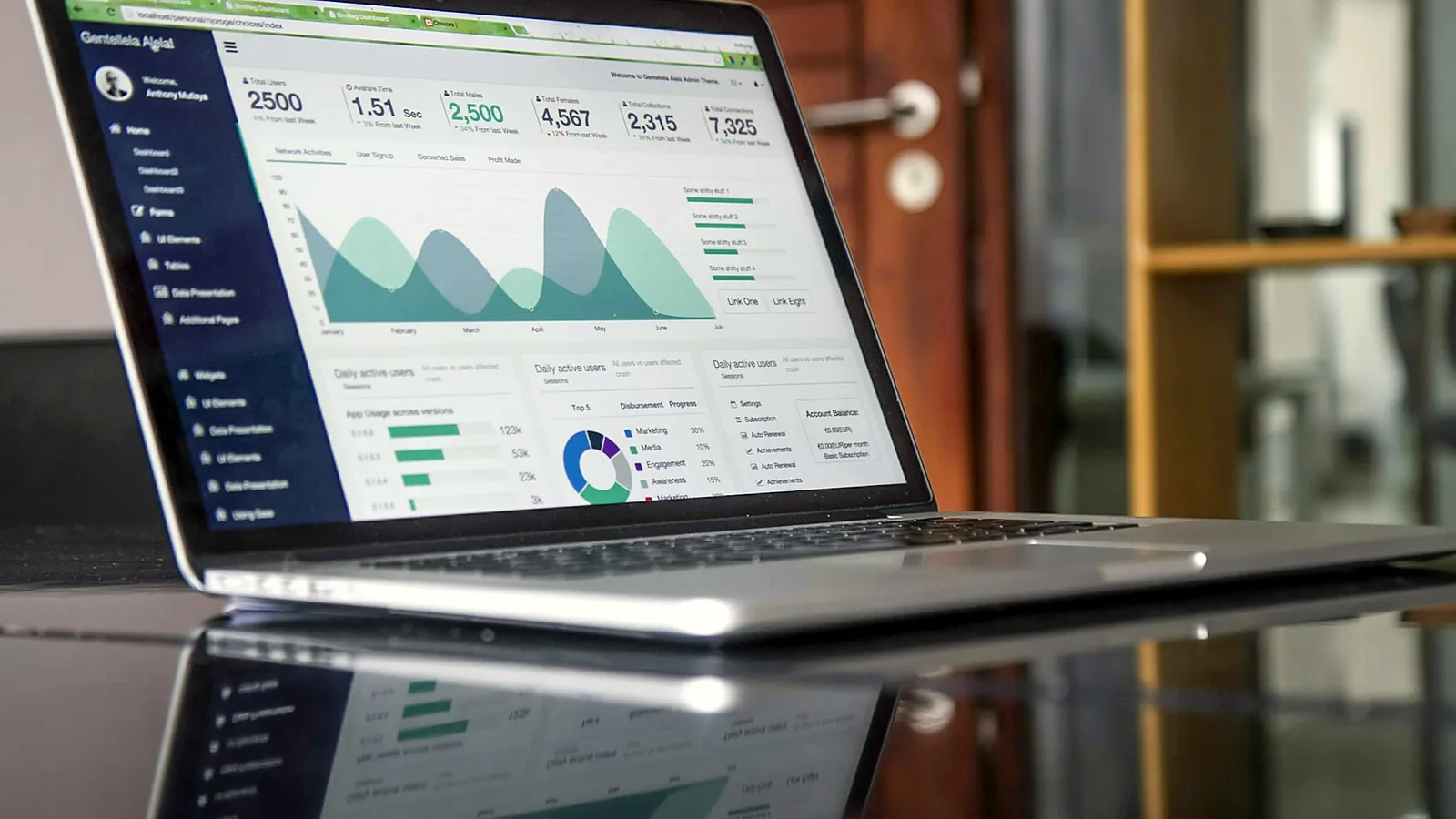
Management sees sales by branch, overdue collections and stock levels in one screen, pulled from existing systems.
Field-service app
A maintenance company dispatches technicians, who open their jobs on a phone browser, record parts used and upload photos before the customer signs off.
Many projects combine two or three of these. A common pattern keeps the public website on a content management system and runs the portal separately, for example at portal.yourcompany.com. If you are unsure which skills each side needs, our article on web design vs web development explains the split.
When you should not build a custom application
Custom software is the right answer less often than people expect. Ready-made tools are cheaper to start, widely tested, and maintained by someone else. Compare the options first:
| Option | Fits when | Limits to watch |
|---|---|---|
| Software-as-a-service (booking, CRM, helpdesk or accounting software) | Your process is common and you can adapt to the vendor's way of working | Per-user fees that grow with your team, limited customisation, data export terms, and the quality of the Arabic interface |
| WordPress with a well-known plugin | A public website with a simple booking, membership or request form | Logic beyond the plugin's settings becomes fragile; every plugin adds updates to manage |
| Online forms and a shared spreadsheet | Testing an idea with low volume and a small team | No real permissions, no audit trail, and errors multiply as volume grows |
| Custom web application | Your workflow is specific, several roles need different access, or you must connect systems that do not talk to each other | Higher upfront cost, and you are responsible for hosting, updates and future changes |
You have probably outgrown ready-made tools when your team copies the same data between two systems, or when clients ask for a status update only one employee can find. You probably have not if the idea is untested, the workflow still changes every month, or what you really need is a better website. For that case, read WordPress or custom code.
Discovery and scope: roles, workflows and data before screens
Owners often start by describing screens. A useful scope starts one level lower, with three questions. Who uses the system, and what may each person do? Which steps does a request, order or booking go through? And what information is stored at each step? Answer those, and the screens almost design themselves.
Worked example: a maintenance company in Jeddah
Imagine an air-conditioning maintenance company that runs on WhatsApp, a shared spreadsheet and paper job cards. Discovery produces three short lists.
- Roles: customer, dispatcher, technician, accountant and administrator. The technician sees only his own jobs for the day; the accountant sees completed jobs but cannot reassign them; the customer sees only his own sites and visits.
- Workflow: request received, scheduled, technician on the way, work done with photos and parts recorded, customer sign-off, invoiced, closed. Each change of status notifies the right person.
- Data: customers, sites and addresses, units under contract, visits, parts, photos and invoices, plus who changed what and when.
Each item then becomes an acceptance criterion anyone can test, such as "a technician cannot open a job assigned to another technician". Criteria like this prevent arguments at handover.

Version one first
The first version, often called the minimum viable product or MVP, is the smallest system that removes the biggest pain. In the example above, that means the request form, the dispatcher's board, the technician's phone view and a job report. The customer portal, contract renewals and the link to the accounting software can wait for phase two.
Once your team uses the system for a few weeks, it becomes obvious which features matter and which only looked good on paper. A smaller first scope is also easier to price as a fixed amount and to test properly.
Technology choices in plain words
You do not need to choose the technology yourself, but you should understand the parts:
- Front end: the screens people see in the browser. On a phone, a well-built web application adapts to the screen and needs no app store download.
- Back end and framework: the server-side code that applies your business rules and permissions. Mainstream frameworks such as Laravel (PHP) or Django (Python) provide tested building blocks for logins, permissions and databases.
- Database: where records live. Relational databases such as MySQL or PostgreSQL suit most business systems, because orders, customers and invoices are naturally linked to one another.
- Hosting and environments: the server or cloud account that runs the application. Expect at least a test (staging) environment and a live one, automatic backups, and a decision about where the data is stored.
- APIs: the doors through which two systems exchange data. An integration is only as easy as the other system's API allows, so confirm one exists and is documented before you plan around it.
The best question about any stack: if this developer disappeared tomorrow, how easily could another team take over? A widely used framework and readable documentation answer it well; a rare in-house framework does not.
Ownership, hosting and handover
Agree on these points in the contract, not after launch:
- Who owns the source code and the right to modify it, and from which payment milestone.
- The code repository is created in, or transferred to, your company's account.
- The hosting or cloud account and the domain are registered to your company, with billing you can see.
- You can export all your data in a standard format at any time, and backups are tested by restoring them, not just scheduled.
- Paid third-party components and API keys are listed, with the licence holder named.
- Handover includes setup documentation, an administrator guide and a walkthrough for your team.
Custom web application development Saudi Arabia: the local requirements
A handful of requirements are specific to the Kingdom, and they are much cheaper to plan on day one than to retrofit.
Arabic interface and bilingual data
A right-to-left interface is more than flipped text: tables, forms, charts and generated PDFs all need checking in Arabic. The design side of this is covered in our custom website design guide; in an application, the bigger questions concern the data:
- Decide which fields exist in two languages, such as product and service names, and which stay in one, such as internal notes. Store them as separate fields rather than relying on automatic translation.
- Make Arabic search forgiving. Users type أحمد and احمد interchangeably, and mix ة with ه or ى with ي. Normalising these letters and ignoring diacritics in search saves daily frustration.
- Accept Arabic-Indic digits in phone, ID and amount fields and convert them, since many users type on an Arabic keyboard.
- Write notification templates in both languages, and let each user choose a language.
Hijri and Gregorian dates
Some users expect Hijri dates, others Gregorian, and many want both. The safe pattern is to store one date in the database and convert it only for display. The JavaScript internationalisation API supports an Umm al-Qura Hijri calendar, listed as islamic-umalqura, so developers need not build the conversion by hand. Keep working days, holidays and booking cut-off times as settings an administrator can change, not hard-coded values.
Personal data and the PDPL
A portal holds far more personal data than a website form, so the Personal Data Protection Law shapes the design itself. The Saudi Data and AI Authority (SDAIA), which receives complaints under the law, states in its published guidance that collection must be limited to the minimum needed for the stated purpose, that there is no fixed retention period but data may be kept only as long as that purpose requires, and that the law also applies to processing of residents' data by entities outside the Kingdom. SDAIA also publishes a separate regulation on transferring personal data abroad.
In practice: a reason for every personal data field, a retention rule for each record type with a way to delete or anonymise old records, and a deliberate choice of where hosting and outside services store data. In the law's terms, the business that decides why and how data is processed is the controller, and a developer or host processing it on the business's behalf is a processor, so put their obligations in the contract. For the website side, such as privacy notices, consent and cookies, follow our PDPL website compliance checklist. For sector-specific questions, ask a qualified legal adviser.

Integrations you will probably need
- Payments: use a licensed payment gateway's hosted payment page so card details never pass through your server, and start gateway onboarding early.
- E-invoicing: if the system issues tax invoices, ZATCA's e-invoicing rules apply. According to ZATCA, the first phase began on 4 December 2021 and requires invoices to be issued through a compliant electronic solution, while the second phase, from 1 January 2023 and rolled out in waves, requires the solution to be integrated with ZATCA's systems. Often the simplest route is to send invoice data to your existing compliant accounting or e-invoicing software.
- SMS and WhatsApp: confirmations and reminders go through an SMS provider or an official WhatsApp Business messaging provider; check their documentation and per-message pricing first.
- Maps and addresses: field-service and delivery systems need location pins and routes; review the map provider's usage pricing as volume grows.
- Accounting and ERP: possible when the other system offers an API. Ask its vendor for documentation and test access before the integration is priced.
Security: what the OWASP Top 10 means for your portal
OWASP publishes the OWASP Top 10 and describes it as "a standard awareness document for developers and web application security". The current edition is the Top 10:2025. Broken access control is first on the list, and OWASP reports that every application tested in its data showed some form of it. For a portal where each client must see only his own invoices, that is the risk that matters most.
Turn each risk into a question for your developer:
| OWASP Top 10:2025 risk | Question to ask your developer |
|---|---|
| A01 Broken Access Control | Are permissions checked on the server for every record, and are they covered by automated tests? |
| A02 Security Misconfiguration | Is debug mode off in production, and are default accounts and test data removed? |
| A03 Software Supply Chain Failures | Which outside libraries do we depend on, and who keeps them updated? |
| A04 Cryptographic Failures | Is all traffic over HTTPS, and are passwords stored with a proper hashing method? |
| A05 Injection | Is every form field and API input validated, and are database queries parameterised? |
| A07 Authentication Failures | Do administrators use two-factor sign-in, and are repeated failed logins limited? |
| A09 Security Logging and Alerting Failures | Are sign-ins and sensitive actions logged, and who is alerted when something unusual happens? |
| A10 Mishandling of Exceptional Conditions | When something fails, does the system stop safely instead of exposing data or skipping a check? |
During acceptance testing, run a few checks yourself. Sign in as one customer, open an invoice, then change the number in the address bar to see whether another customer's invoice appears. Sign in as a staff user and paste the address of an admin page. Log out, then press the back button. Try uploading a file type the system should reject. If any of these works, have it fixed before launch.
What drives the cost of a custom web application
There is no meaningful price list for custom software: two systems with the same name can differ many times over in effort. Instead, understand which choices move the cost:
| Cost driver | Keeps effort lower | Pushes effort higher |
|---|---|---|
| User roles and permissions | Two or three roles with clear limits | Many roles, per-branch rules and approval chains |
| Workflow complexity | One straight path with few exceptions | Many statuses, exceptions, partial approvals and reversals |
| Integrations | None, or one well-documented API | Several systems, older software without an API, or two-way sync |
| Data migration | Starting fresh or a clean spreadsheet | Years of messy records from an old system that need cleaning |
| Languages | One interface language | Full Arabic and English, including bilingual data, PDFs and notifications |
| Reports and dashboards | A few fixed reports with export | Custom report builders and live charts across many sources |
| Files and documents | Simple uploads | Generated contracts, signatures, versioning and large media |
| Availability and support | Business-hours use and standard hosting | Round-the-clock use, high traffic and fast response commitments |
Remember the running costs too: hosting, backups, security updates, maintenance, and usage fees from SMS, payment and map providers. A fair quote separates the build from these recurring items.
How to brief a developer, and a realistic timeline
A good brief for an application is short and concrete. Our website brief template covers the general sections; for software, add these points:
- The problem in one paragraph, and how the work is done today.
- Each type of user, roughly how many of each, and what each must and must not be able to do.
- The main workflow as a list of steps or statuses.
- Sample documents: the spreadsheet you use now, an invoice, a report you wish you had.
- The systems to connect with, and the name of each vendor's contact.
- Languages, date formats and any hosting or data-location requirements.
- What must be in version one, and what can wait.
- A budget range and a target date, with the reason behind the date.
Treat any calendar promise made before discovery with caution. The phases themselves are predictable:
Discovery and written scope
Short compared with the build. Workshops with the people who do the work, then a written scope, phases and price for version one.
Screen design or clickable prototype
Key screens in Arabic and English, reviewed by real users. Changes here cost far less than in code.
Build in short cycles
Usually the longest phase. Features arrive on a test link in small batches, so you review progress instead of waiting for a big reveal.
Testing and data migration
Acceptance testing against the criteria, permission and security checks, and a trial import of your existing data.
Launch and settling in
Go live, train the team, and keep the developer close while small issues surface in daily use.
Next phases
Prioritise phase two from what users actually asked for, then scope and price it the same way.
Delays are rarely technical: decisions waiting on one busy manager, late API access from another vendor, and messier data than expected. Name one decision-maker on your side.
Custom web applications with Webnaa
Webnaa is a web design company in Riyadh that also builds business systems. Our custom web development service covers booking systems, client portals, dashboards and internal tools, built in PHP with Laravel and a MySQL database. We study your workflow, propose a first version, and send its scope, timeline and price in a written quote; work starts only after you approve it, and you review the system on a test link as it is built.
If discovery shows that you need a professional website rather than software, we will say so. Our website design service starts from SAR 39 a month, and every website is priced by type, pages and languages in our price calculator; for example, a 5-page static site in Arabic and English is SAR 189 a month. Prices are paid in advance, every 6 months or for a full year with 10% off. Every website includes content written for you, a design sent on a preview link within 24 hours of receiving your complete information, 3 revision rounds before launch, no setup fee, and the freedom to cancel renewal any time, and our terms of service explain how each service works.
Choose what you need, see your exact price
The price updates with every choice. No surprises, no hidden fees.
The calculator is off. Press the power button to start
From Zoho, a global provider with data centres in Riyadh and Jeddah. More than 10 addresses are quoted separately.
Have a system in mind?
Tell us who will use it and what it should do. We will propose a first version with a written scope and price.
FAQ
How much does a custom web application cost in Saudi Arabia?
It depends on user roles, workflow complexity, integrations, data migration and languages, so honest providers quote after discovery. Ask for a written quote that separates version one, later phases and running costs.
How long does it take to build a web application?
A focused first version takes far less time than a system that tries to do everything. The build is the longest phase, and a credible timeline comes after the scope is written, not before.
What is the difference between a web portal and a website?
A website presents information to anyone who visits. A portal is a web application where outside users, such as clients or suppliers, sign in and see only their own orders, invoices or documents.
Do I need a mobile app or is a web application enough?
For portals, dashboards and internal tools, a responsive web application is usually enough: it runs in the phone's browser and needs no installation. A native app makes sense mainly for heavy offline use or deep device features.
Can a web application issue ZATCA e-invoices?
It can, but tax invoices must be issued through a solution that meets ZATCA's e-invoicing requirements, and in the second phase that solution must be integrated with ZATCA's systems. Many businesses connect their portal to an existing compliant accounting or e-invoicing solution instead of building one.
Does my application's data have to be hosted in Saudi Arabia?
The PDPL sets conditions on transferring personal data outside the Kingdom through a dedicated regulation published by SDAIA, and some sectors have their own rules. Choose the hosting location deliberately and confirm your case with a qualified legal adviser.
Summary
A web application earns its cost when people sign in every day to move real work forward and ready-made tools keep getting in the way. Start with roles, workflow and data, then build a small first version and grow it. In Saudi Arabia, plan Arabic screens, bilingual data, Hijri dates, PDPL obligations and e-invoicing from the start, ask the OWASP questions before launch, and keep the code, hosting and data in your company's name.
Sources: OWASP Top 10:2025, OWASP A01:2025 Broken Access Control, SDAIA National Data Governance Platform: PDPL knowledge centre, ZATCA: what is e-invoicing, MDN: supported calendar types in the Intl API. All checked in October 2026. This article is general information, not legal or tax advice.