
Your first website does not need to be large or clever. It needs to tell a stranger, within a few seconds, what you do, where you do it and how to reach you, and then make reaching you easy. This guide to small business web design covers the pages that matter, the content and trust signals customers in Saudi Arabia look for, WhatsApp and contact forms, local search, speed, honest budget options and the mistakes that quietly cost small businesses their enquiries.
In short:
- Decide the one action you want from visitors (a call, a WhatsApp message, a booking or a visit) before anyone designs a page.
- Five to seven well-written pages beat twenty thin ones. Home, services, about, work, contact and a privacy policy cover most small businesses.
- In Saudi Arabia, a tap-to-call number, a WhatsApp button and a matching Google Business Profile do more for enquiries than visual effects.
- Compare DIY builders, freelancers, agencies and subscriptions on three things: total cost over three years, your own time, and who fixes the site when something breaks.
In this guide
Small business web design starts with one clear goal
A large company website has many audiences. A small business site usually has one: the person who might buy from you this week. Before you choose colours or a platform, decide what a successful visit looks like. For most small businesses it is a phone call, a WhatsApp message, a booking or form request, or a visit to your premises.
Pick one as the primary action and one as the backup. Every page is then designed to lead to them. The table below shows how this plays out for common types of small business in the Kingdom.
| Business | Main goal of the site | Primary action | What to measure |
|---|---|---|---|
| Dental or medical clinic | Fill appointment slots | Book or call reception | Booking requests and calls from the site |
| Contractor or fit-out company | Get qualified quote requests | Quote form with project details | Form submissions that include a budget or location |
| Café or restaurant | Bring people through the door | Directions, menu, opening hours | Clicks on the map and menu |
| Home services (AC, cleaning, pest control) | Win jobs in specific districts | WhatsApp message or call | WhatsApp clicks and calls |
| Consultancy or law office | Start a first conversation | Call or request a meeting | Meeting requests |
| Training centre | Register people for courses | Registration form | Completed registrations per course |
Writing the goal down changes later decisions. A café needs its hours and a map link at the top of the phone screen, not a vision statement. A contractor needs a gallery of finished projects and a form that asks the right questions, not an online shop.
Seven questions to answer before you brief a designer
- Who is your typical customer, and what problem brings them to you?
- What would they type into Google to find a business like yours? Write five real phrases, in Arabic and in English.
- Which cities or districts do you serve, and which do you not?
- Which language do most of your customers use: Arabic, English or both?
- Why should someone choose you over the business down the road? Give facts, not adjectives.
- What proof can you show: photos of real work, licences, reviews, years in the trade?
- Who in your business will answer the calls and messages the site brings, and how fast?
The last question is the one most owners skip. Enquiries nobody answers train customers to go elsewhere. To collect these answers in a structured way, our website brief template turns them into a document any designer can quote against.
A small business website is not a brochure. It is the shortest path from a search to a conversation with you.
The pages a first website really needs
Most small businesses are well served by five to seven pages. More pages only help when each one answers a question that real customers ask. Here is a practical starting set and what belongs on each page.
| Page | Its job | What to put on it |
|---|---|---|
| Home | Confirm the visitor is in the right place | What you do and where, the main button, a short list of services, proof, location and hours |
| Services | Answer "can you do this for me?" | One section or page per service: what it includes, who it suits, what affects the price, the next step |
| About | Show there are real, accountable people behind the name | Your story in plain words, qualifications or licences, your premises, how you work |
| Work or gallery | Prove you have done it before | Real photos of finished jobs, products or your space, each with a one-line caption |
| Contact | Remove every obstacle to getting in touch | Tap-to-call number, WhatsApp, a short form, address, map link, hours |
| FAQ | Handle doubts before they become reasons to leave | Prices in general terms, areas served, payment methods, timing, warranty or returns |
| Privacy policy and terms | Explain how you handle personal data and orders | What the forms collect, why, who sees it, how long you keep it, how to contact you |
Some businesses need one or two more: a booking page for a clinic or any service that runs on appointments, a menu page for a restaurant, a branches page if you have more than one location, or a careers page if you hire often. A detailed breakdown of each page, including examples of wording, is in our guide to company profile website pages.
What the home page should show, top to bottom
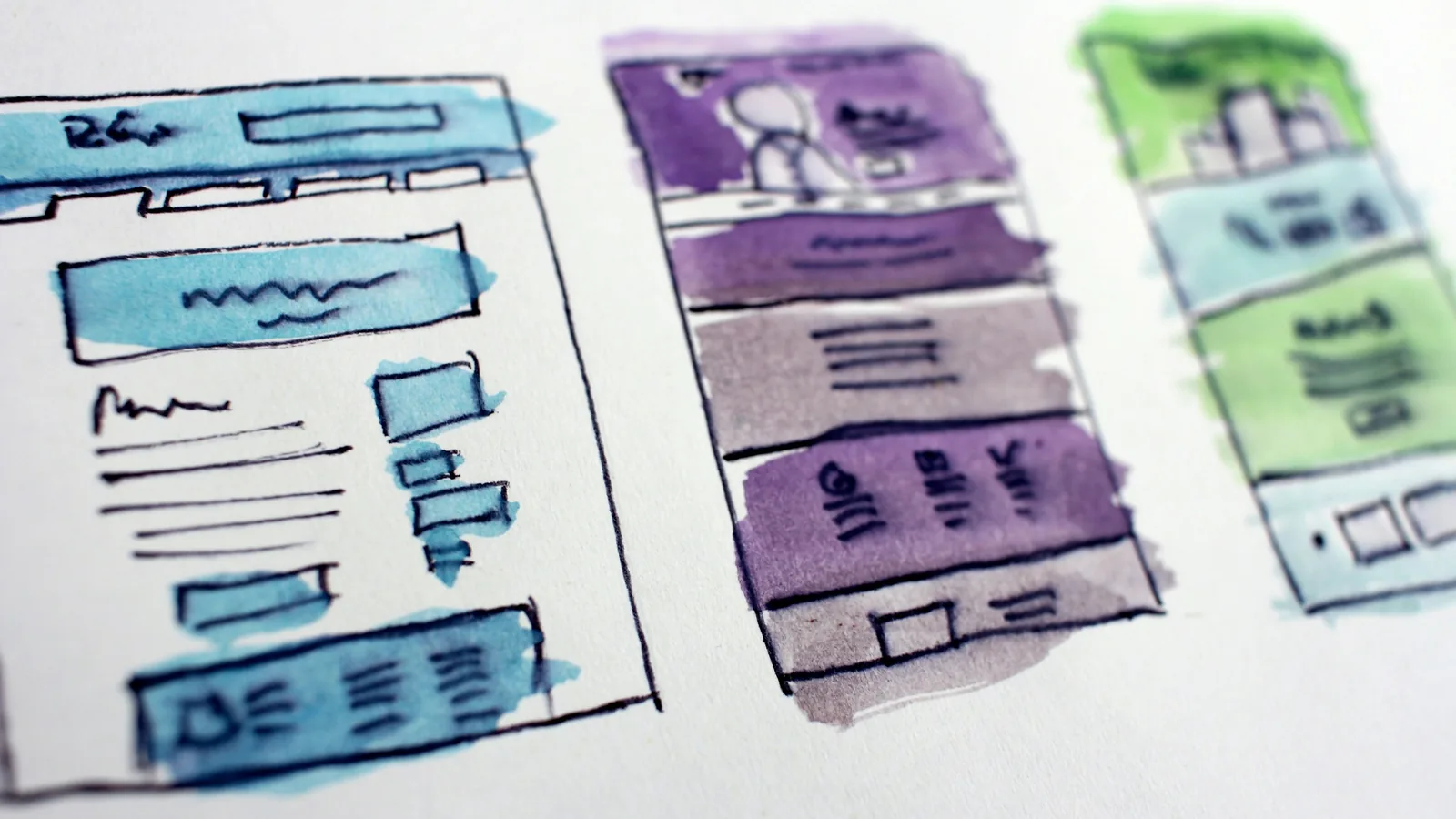
On a phone, a visitor sees the top of your home page first and decides in moments whether to scroll. A simple order that works for most small businesses:
- Header: logo, a short menu and a call or WhatsApp button.
- Main heading: what you do and where, such as "Dental clinic in Al Malqa, Riyadh" rather than "Your smile, our passion".
- Primary button: worded as the result ("Book an appointment", "Get a quote on WhatsApp").
- Services: three to six short blocks linking to detail.
- Proof: real work, a few reviews, relevant licences.
- How it works: three steps from first contact to finished job.
- Location and hours: address, map link, areas served.
- Final call to action: repeat the main button.
- Footer: contact details, commercial registration number, privacy policy and terms.
One page or several?
A single long page can work for a business with one service and one location. It becomes a limit when people search for your services separately: "kitchen fit-out in Khobar" and "office partitions in Khobar" deserve different pages. If you are unsure, read when a one-page website works before you decide.
Content and trust signals customers check
Design gets attention; words and proof close the deal. Most small business sites fail not because they look dated but because they answer none of the visitor's questions.
Write for the customer's question, not your company profile
Compare two openings for a hypothetical air-conditioning maintenance company in Jeddah.
- Before: "Welcome to our website. We are a pioneering company committed to excellence and customer satisfaction since our founding."
- After: "AC repair and maintenance in north Jeddah. We visit within the week, give you a written price before any work starts, and stand behind every repair with a written warranty."
The second version names the service, the area and three facts a customer cares about. It also contains the words people search for. Apply the same test to every page: if a sentence could appear on any competitor's site unchanged, it is not doing any work. More techniques are in website copy that persuades.
A few content rules that matter for small businesses in Saudi Arabia:
- Write each language natively. If you serve Saudi customers and expatriate residents, both versions should read as if written by a native speaker; machine-translated Arabic signals carelessness. Our bilingual website guide covers structure and right-to-left layout.
- Talk about price honestly. You do not have to publish a full price list, but "from SAR X" or a clear explanation of what changes the price filters out mismatched enquiries and builds confidence.
- Use your own photos. Clear phone photos of your shop front, vehicles or finished work beat stock images seen on hundreds of sites.
- Keep paragraphs short. Two to four sentences, clear subheadings and lists suit phone readers.
Trust signals that matter in the Saudi market
Trust signals are small, verifiable details that make an unknown business feel safe to contact. Add these first:
Registration details
Your commercial registration number and, if registered, your VAT number in the footer.
A real address
A street address and map link matching your Google Business Profile, or the districts you cover.
Reviews you can verify
Quote a few genuine Google reviews and link to your profile so visitors can read the rest. Never invent or edit reviews.
Licences and memberships
Licences or accreditations that apply to your trade, with the issuing body.
Clear policies
A privacy policy that explains what your forms collect, plus terms, warranty or returns where relevant. See our PDPL website compliance checklist.
Professional contact details
Email on your own domain, not free webmail, and a valid SSL certificate.
For the legal side, including what online sellers must display, see Saudi website legal requirements. For more ideas on proof that persuades, read trust signals that convert.
WhatsApp, calls and forms: make contact effortless
In Saudi Arabia many customers would rather send a WhatsApp message than fill in a form or wait on hold. Others want to call immediately, and some, particularly business buyers, prefer a form or email they can keep a record of. Good small business web design offers all three without cluttering the page, and makes the preferred one the most prominent.
Set up each channel properly
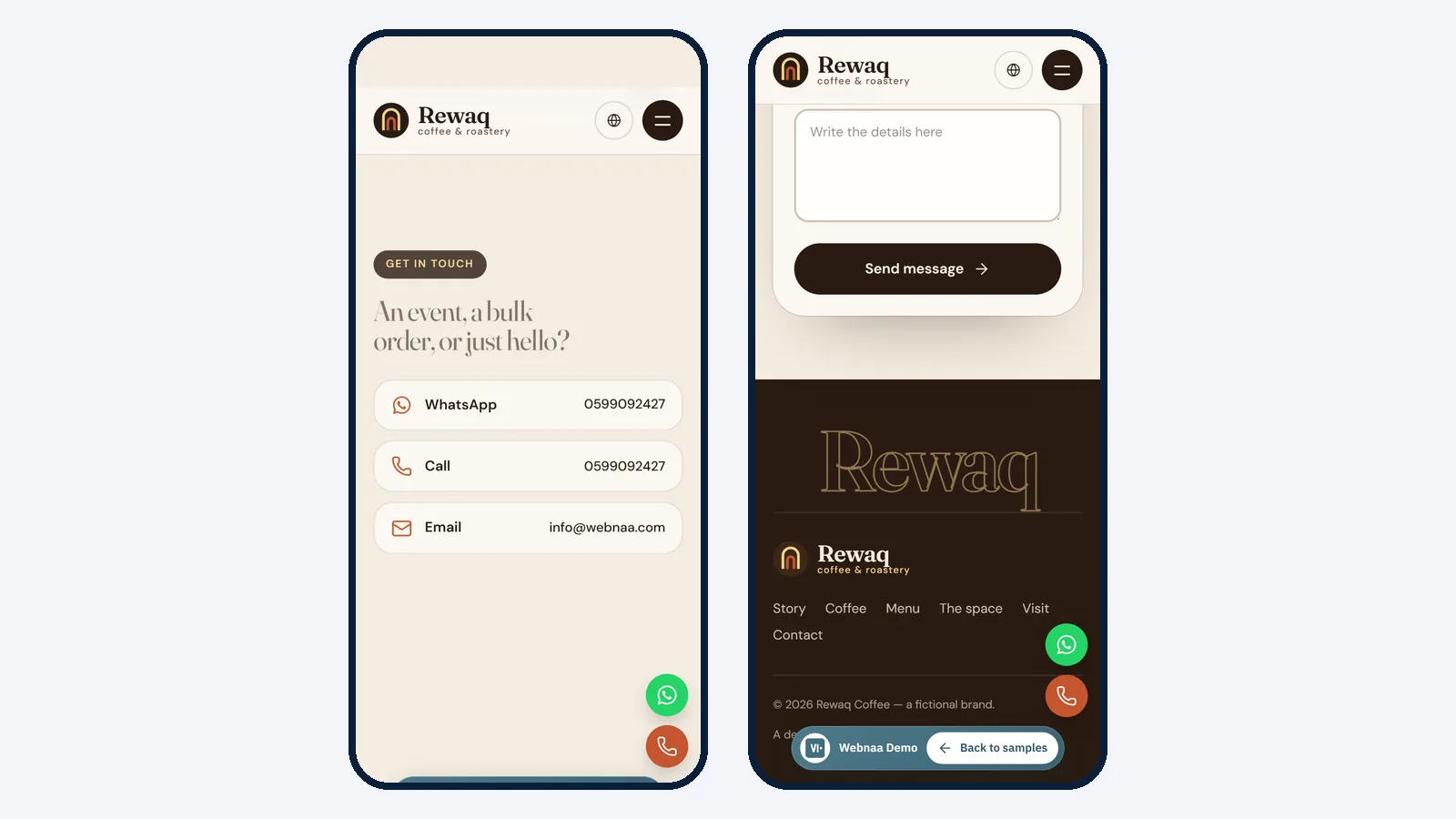
- Tap-to-call: write your number as text and link it so a tap on a phone opens the dialler. A number placed inside an image cannot be tapped or copied.
- WhatsApp: use a click-to-chat link (wa.me followed by your number in international format, 966 then the number without the leading zero) and consider a short pre-filled message such as "Hello, I'd like a quote for…". Use a WhatsApp Business account so you can set a greeting, an away message and business hours.
- Form: ask only what you need to reply well. For most businesses that is name, mobile number, the service needed and a short message. A contractor might add district and rough budget; a clinic might add a preferred day.
- Email: show an address on your own domain. Our guide to business email with your domain explains the setup.
Form details that decide whether people finish
- Give every field a visible label, not only placeholder text that disappears when the visitor starts typing.
- Accept Saudi mobile numbers with or without the leading zero or country code.
- Do not ask for national ID numbers or other sensitive data unless the service truly requires it.
- After sending, show a clear confirmation that says what happens next and when, for example "We reply within one working day."
- Send submissions to an inbox someone checks daily, and test the form yourself every month. Forms break silently after updates or password changes.
State your working hours next to the contact options and update them for Ramadan and Eid. A customer who messages at night and hears nothing assumes you have closed; one who reads "We reply from 9 am" waits.
Local SEO and your Google Business Profile
For a small business, the most valuable searches are local: "dentist near me", "plumber in Al Nakheel", "مغسلة سيارات في الخبر". Map listings from Google Business Profile usually appear above ordinary results. Your website and profile work as a pair: the profile wins the click on the map; the website convinces people who want to know more before calling.
Google states that local results are based mainly on relevance, distance and prominence, and that there is no way to pay for a better local ranking. Prominence is influenced partly by how many reviews a business has and how many sites link to it (Google Business Profile Help: local ranking). In practice, that means:
Claim and verify your profile
Verification tells Google you are authorised to manage the listing. Our Google Business Profile guide for Saudi Arabia walks through it step by step.
Match your details everywhere
Use the same business name, phone number and address on the website, the profile and social accounts. Mismatches confuse customers and search engines alike.
Complete every field
Choose an accurate main category, add your hours and special hours for Ramadan and Eid, attributes such as parking, and recent photos.
Ask for reviews and reply to them
Ask satisfied customers for an honest review after each job and reply politely to every one, including the critical ones.
What the website itself should do for search
Google's SEO Starter Guide is written for site owners and is worth an hour of your time. The points that matter most for a small site:
- A unique, descriptive title for every page, such as "AC maintenance in Jeddah | Company name", and a short, specific meta description.
- Readable URLs such as /services/ac-maintenance/ rather than /?p=123.
- Services and places named naturally in headings and text, with a separate page per branch.
- Google Search Console connected and a sitemap submitted, so you see which searches bring visitors.
- Helpful, reliable content, which the guide ranks above most technical tweaks.
Be patient and sceptical. Google notes that some changes take effect in hours and others take months, and that no secret will automatically rank a site first. Anyone who guarantees you the top position is promising something they cannot control. For a fuller plan, read get found on Google.
Mobile, speed and accessibility
Most of your visitors will meet your website on a phone, often on mobile data. Design for that person first, then check the desktop version. Our article on designing for mobile first explains the approach.
How fast is fast enough
Google's Core Web Vitals give concrete targets. According to web.dev, a good experience means the largest content on the page appears within 2.5 seconds (Largest Contentful Paint), the page responds to taps within 200 milliseconds (Interaction to Next Paint), and the layout barely shifts while loading (Cumulative Layout Shift of 0.1 or less), measured at the 75th percentile of page loads. You do not need to understand the technical detail to act on it. Most small business sites miss these targets for the same few reasons:
- Photos uploaded at full camera size instead of resized and compressed, ideally to WebP.
- A heavy theme with dozens of plugins, many unused.
- Autoplay sliders and background videos.
- Cheap hosting far from your visitors, with no caching.
- Chat widgets, pop-ups and tracking scripts piling up.
A simple test: open your site on a mid-range phone on mobile data and see how long it takes before you can read the heading and tap the button. If you wait, so do your customers. We explain the business impact in website speed drives sales.
Accessibility helps everyone, not only a few visitors
The W3C's introduction to web accessibility points out that accessible design helps people with disabilities and also older users, people on small screens, people in bright sunlight and people on slow connections. For a business that serves the general public, that adds up to many of your customers. The basics are not expensive:
- Readable text size with strong contrast.
- Buttons big enough to tap with a thumb.
- Descriptive alt text, such as "Finished majlis fit-out with built-in seating" rather than "image1".
- Labelled form fields and error messages that explain the fix.
- Links that say where they go, never "click here".
Our website accessibility checklist covers the WCAG 2.2 essentials in more depth.
Budget options: DIY builder, freelancer, agency or subscription
There are four common routes, and none is right for everyone. Compare money, your time and who is responsible when something breaks.
| Route | How you pay | Your time | Who fixes problems | Suits | Watch out for |
|---|---|---|---|---|---|
| DIY website builder | A monthly or yearly plan | High: you design, write and maintain it | You, with the platform's help centre | Testing an idea, very tight budgets, owners who enjoy the work | Generic templates, weak Arabic layouts on some builders, moving away later can be hard |
| Freelancer | A one-off fee, hosting and updates often separate | Medium: briefing, content, reviews | The freelancer, if still available | Simple sites when you know and trust the person | Single point of failure, domain or hosting in their name, no plan after handover |
| Agency | A larger one-off fee, often with a maintenance retainer | Medium: workshops and approvals | The agency, under the retainer | Established businesses needing custom design or features | Long timelines, paying for process you may not need |
| Managed subscription | A fixed monthly fee covering design, hosting and support | Low: provide details, review, approve | The provider, as part of the fee | Owners who want a professional site without running it | Check ownership terms, what edits are included and how to leave |
Market prices change quickly and depend on scope; for figures, see website design prices in Saudi Arabia. If you are weighing the first two options, AI website builder vs a professional WordPress website and freelance web designer vs agency go into more detail.
Three worked scenarios
A new home-services business testing demand. A DIY builder keeps cash outlay low if the owner has evenings to spare. A managed subscription costs a little each month but gets a finished bilingual site live within days. Avoid a large one-off build before you know what customers actually buy.
An established contracting firm with an IT coordinator. It wants a custom look that matches its company profile and has someone in-house to manage hosting and updates. A one-off build by an agency or experienced freelancer can be better long-term value here.
A busy clinic owner with no time for technology. The owner will not update plugins or chase hosting renewals. A subscription or an agency maintenance contract makes sense; a DIY builder usually ends up half-finished.
A subscription is not the right choice when you need a custom system, such as bookings tied to your clinic software or a customer portal, or when your own team already maintains websites well.
Running costs and maintenance to budget for
Whatever route you choose, a website keeps costing something after launch. Ask who pays for each of these: the yearly domain renewal (in your business's name), hosting and SSL including the renewal price, updates to WordPress, the theme and plugins, off-server backups, content edits such as new prices or holiday hours, premium licences, and business email on your domain.
If you would rather hand this to someone, a website maintenance service covers updates, backups and fixes. Our guide to what to do after your website launches lists the monthly routine if you prefer to do it yourself.
Questions to ask any provider
- Will the domain be registered in my business's name from day one?
- Who writes the content, and who supplies the photos?
- Can I see the design on a preview link before it goes live?
- What is included after launch, and what does an extra edit or a new page cost?
- If I leave, what do I take with me: the domain, the content, the site files?
- Is the price final, and what is the delivery date in writing?
Mistakes small businesses make with their first website
Most first websites do not fail dramatically; they simply bring in nothing. Each of these causes is cheap to avoid at the start.
The domain belongs to someone else
If a designer or former employee registered it, renewing or moving it depends on their goodwill.
Designed for the owner's taste
Animations and clever slogans may please the owner but slow down a customer who wants a price and a number.
Launching with gaps
Placeholder text and empty galleries suggest the business is not ready either. Launch fewer pages, all complete.
No clear next step
A page that ends without a button leaves visitors to work out what to do. Most will not.
Out-of-date details
Old prices or wrong Ramadan hours cost more trust than no information. Review the site monthly.
Buying ranking promises
Promises of first place on Google often rely on shortcuts that can harm the site.
Two more: launching without Search Console or simple analytics, so you cannot tell which pages bring enquiries, and relying on a social account you do not own instead of a site that can rank for "service in city" searches. More examples, with fixes, are in mistakes that cost customers.
How Webnaa approaches small business web design
Webnaa is a website design service in Saudi Arabia, based in Riyadh, that builds professional WordPress websites for businesses in the Kingdom and abroad. Our website design service starts from SAR 39 a month, with no setup fee and no long contract, and the price calculator prices your site by its pages and languages. A 5-page WordPress website in Arabic and English, at SAR 324 a month, is built around what this guide describes:
- 5 pages, each in Arabic and English, with the content written for you.
- An enquiry or order form, a photo gallery, your map location, a WhatsApp button and a direct call number.
- A fast, mobile-friendly site, search engine setup and a connection to Google Search Console with a sitemap.
- Hosting, SSL and a standard domain registered in your name, plus ready privacy policy and terms pages and a printable QR code.
- A preview link within 24 hours at most from receiving all the information and content we need from you, so you review it before launch.
- Technical support and updates, free fixes for any technical fault caused by how we built the site, and a dashboard to edit the site yourself. A new page after launch is priced as in the calculator and added to your subscription.
If you do not like the design during the design stage, a money-back guarantee applies, per the refund policy. You pay in advance, every 6 months or for a full year at 10% off, and you can cancel renewal at any time with no cancellation fee; your website stays live until the end of the paid period. From year two you pay only the monthly base. You can also buy the website at any time for its value plus an independence fee. To see what a finished small business site looks like, browse our website design samples. Online stores, custom systems and SEO campaigns are separate services priced in a written quote.
Choose what you need, see your exact price
The price updates with every choice. No surprises, no hidden fees.
The calculator is off. Press the power button to start
From Zoho, a global provider with data centres in Riyadh and Jeddah. More than 10 addresses are quoted separately.
Your first website, live within days
Work out your price, from SAR 39 a month, then send us your business details.
FAQ
How many pages does a small business website need?
Five to seven: home, services, about, work, contact, FAQ and a privacy policy. Add a page per main service when people search for them separately, and one per branch.
How much does a small business website cost in Saudi Arabia?
It depends on the route: a builder plan, a one-off fee plus running costs, or a subscription. Compare total cost over three years. At Webnaa prices start from SAR 39 a month with hosting included; a 5-page WordPress website in Arabic and English is SAR 324 a month with hosting, the domain and support included, and the price calculator prices any other size.
Do I need a website if I already have Instagram and a Google Business Profile?
Usually yes. The profile wins local searches and social media keeps you visible, but a website gives you pages you control and room to explain each service before people call.
Can I build my small business website myself?
Yes, with a website builder, if you have time to design, write and maintain it. Check its Arabic right-to-left support and that the domain is in your name.
How long does it take for a new website to appear on Google?
Connecting Search Console and submitting a sitemap helps Google discover the site, but timing varies from days to months and nobody can guarantee a ranking. A verified, complete Google Business Profile often brings local visibility sooner than the website itself.
Should my website be in Arabic, English or both?
Follow your customers. Most businesses serving the Saudi public need Arabic first; those serving expatriates or international clients need English too, written properly rather than machine-translated.
Summary
Good small business web design is mostly about clarity. Decide the one action you want, build a few complete pages around it, answer real customer questions and add proof they can verify. Make calling and messaging effortless, keep your details identical on the website and Google Business Profile, keep the site fast on a phone, and choose a budget route that fits your time as well as your money. If you want to understand the wider discipline first, start with what web design is.
Sources: Google Business Profile Help: tips to improve your local ranking, Google Search Central: SEO Starter Guide, web.dev: Web Vitals, W3C WAI: Introduction to Web Accessibility. Webnaa: pricing, website design service.